 (UPDATE: February 2012; after I posted this I realised that some of the latter shots were a bit dark; the effect of the Softbox is visible but needed a bit more power, and it was underexposed overall. For many, many months, years in fact, I always meant to dig out the shots and lift them a bit in Photoshop but never got around to it.
So, I’ll just leave them the way they are and leave a note to myself as to why: it was very bright daylight and I wasn’t able to see the camera LCD clearly. I was gauging relative light ratios from the image but not looking at the histogram. If I had, I might have dialled in more power or opened the aperture a little.
Also, I’ve since invested in Pocketwizard Flex and Mini units which make outdoor flash triggering a breeze; Nikon CLS is very unreliable in strong daylight. Okay, on with the post.)
I got a LumiQuest Softbox III last week and wanted to put it to use straight away. Its main appeal to me is as a close in soft lighting source for portraits, useable handheld if necessary with no real awkwardness. I could use it at events to get awesome off-camera lit portraits anywhere, worlds away from the usual top-mounted flash look even when bouncing said flash off a ceiling. I could also use it as a soft fill against an umbrella key, or for moodier top lit shots, something I can’t quite do with the umbrella.
Basically, versatility and portability!
For a long time I’ve wanted to have the confidence to walk up to strangers and ask permission to shoot a portrait of them, totally for free, just because I think they look very photogenic. Missed lots of potential opportunities that way, so I decided to take the Softbox out for a walk along Putney Embankment last week. It was a sunny afternoon and I told myself the worst that could happen was people I asked said “No.” and that’s fine because there’s loads of other people to ask.
As it happens, everybody I asked said “Yes.”, but I was pretty selective, and I didn’t ask that many people in the end – the thing is I seemed to have chosen the time of day that a lot of mothers were out taking their babies and children for walks, and I didn’t want to bother them! And there were a lot of joggers out too and I thought leaping into their path with a huge camera and flash might put them off their pace.
I’d done some test shots first (since deleted, should have kept them to give you a laugh). I kept the SB-800 on 1/4 power, triggered via CLS from the D200, which was in manual at ISO 100, around f/4 on average (to give my auto-focus a bit of a chance), and whatever shutter speed got the background roughly one stop underexposed.
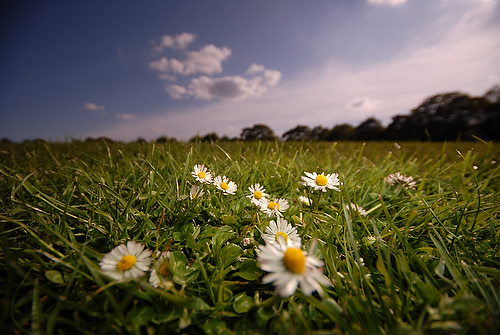 It’s been pretty sunny in London recently, although not so much the last few days. Yesterday, however, the sun was threatening to come out from lunchtime and at around 3pm it finally did. I was sitting around indoors finding all sorts of ways to do not very much at all and finally realised going outside and maybe taking some photos would actually be pretty cool instead.
 UPDATE: February 2012 – I’ve long since disabled the Fotomoto plugin as part of general redesigning – it never generated a single penny anyway! Ah well.
 I first picked up a DSLR (or indeed any SLR) in 2005 when I bought my Nikon D70, and for the next 3 years flash lighting scared me witless. In a medium where light is everything, being unwilling and unable to get a grip on how to light with flash was sort of an embarrassment, to me at least, and so I embraced a style of photography that studiously avoided staged lighting – which I cunningly branded ‘urban observational photography’. So, er, basically cool stuff I spotted on the street, like this revolving billboard on the left.