 The creators of Hipstamatic have a new app in the Store. It’s called Hipstamatic Disposable (App Store link), it’s free, and if nothing else you should download it just to experience the user interface because it’s gorgeous.
As iOS photo apps go it’s as accomplished as you’d expect from Synthetic. However, despite how much fun it is to use, it’s quirks may put you off in the long term. I also have a bit of a problem with the in-app purchase model, and there seems to be a bug that causes unpredictable crashes. There’s lots I want to talk about because the app deserves it, but this is a fairly long post so you might want to get comfy, send it to Instapaper, or skip to the end…
First, some context
You may already know that I love toy camera photo apps. I know there are those who balk at the irony of emulating retro photography on a digital camera (and that’s fine, although if you’d like to share such opinions in the comments below, please don’t) but I really enjoy using them when they are done well, an achievement which is as much about the user interface and experience as it is about the final output. I loved the simplicity of Instagram until their 2.0 update left their filters feeling kinda neutered so I went back to Hipstamatic to sate my fetish for digital toy camera emulation.
The original Hipstamatic (App Store link) is the archetypal toy camera app: a detailed skeuomorphic UI that replicates the front and back of a plastic camera; interchangeable lenses and films; and a realistically vague viewfinder. Where it suffers is the abundance of choice – over 260 different lens and film combos alone. Thankfully, there are now settings to disable films, lenses or flashes you don’t like, plus a ‘shake to randomise’ feature that only uses filters you’ve approved for inclusion. This is how I use Hipstamatic now – launch, shake and snap – it’s quicker than hand-picking a combination and introduces an element of surprise when the resulting photo pops up.
Enter the D-Series with it’s crazy new ideas
The new app, Hipstamatic Disposable, keeps up the tradition of wonderfully detailed UI design but deviates from the template in a couple of significant ways.
First, instead of one camera into which you load different lenses and films, Disposable introduces you to a fictional range of disposable plastic cameras called the D-Series, each with their own effect and a slider to alter the intensity of each shot.

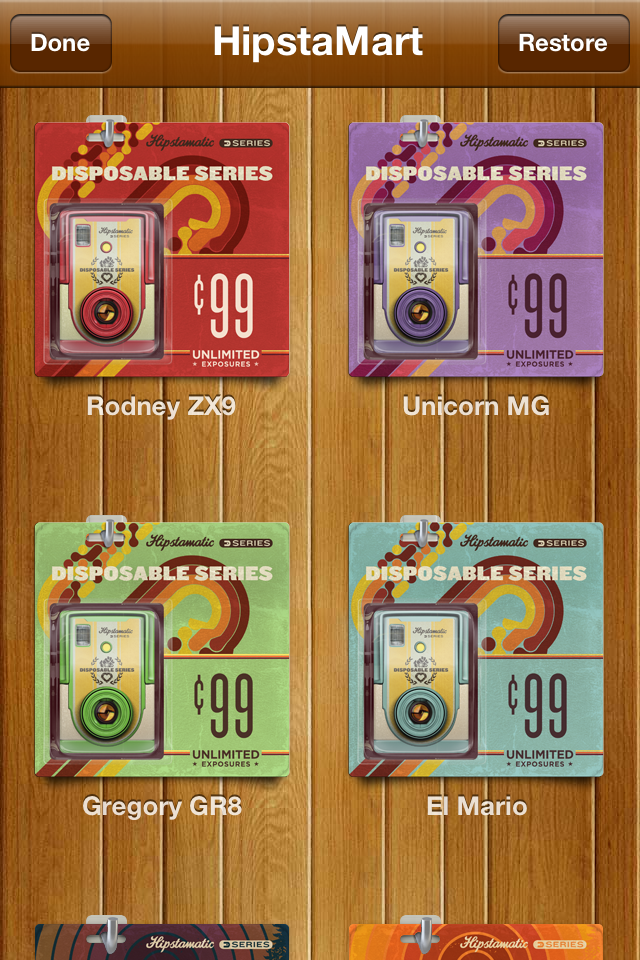

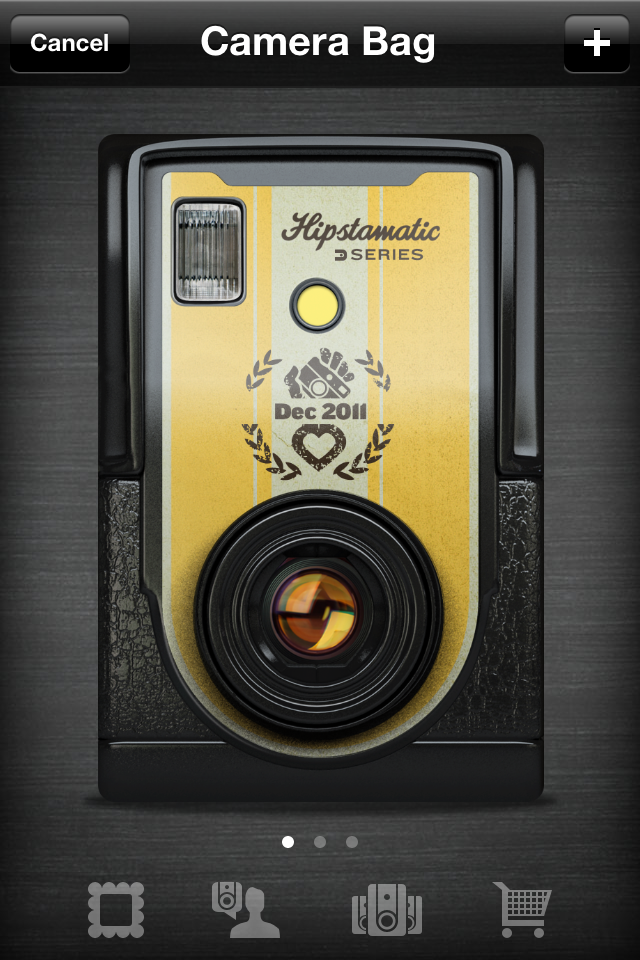
The app comes with two camera types pre-installed with a third free if you connect to Facebook (this is just to provide a network of friends to share cameras with, and no other purpose; more later). As in Hipstamatic, further cameras, or rather effects, are sold in-app via their HipstaMart where each camera hangs on a rack in its own cute cardboard-and-plastic retail packaging, just like Star Wars figures; like I say, they’ve put a lot of care into the details.
Currently four of the purchasable cameras are priced at 69p (99¢) for unlimited uses – that means that when the camera is ‘used up’ the camera itself respawns and you can start another (the included cameras are also unlimited); three further cameras/effects are priced in bundles with limited uses; nine uses costs 69p; 36 uses is £1.49 and 99 uses is £2.49. When those cameras are used up, that’s it. More on this feature later.


The second big deviation from photo app tradition is that each of these cameras has 24 frames available to shoot and you don’t get to see any of the photos you’ve taken until you’ve shot all 24 frames, at which point the shots are processed and presented to you – just like the old days! From here you can save either the entire set or just individual images to your iPhone’s Photos app; by default the app automatically saves the entire set to Photos upon completion but I’ve turned that off while I test the app for this review.
Highlighting individual images shows you metadata including who shot the image, which camera was used, the intensity slider setting, location and date. One for the real camera users out there: the intensity slider appropriates f-stop numbers for the scale, from 2.8 up to 22. Nice touch.
The 24-shot nature means that, yes, I’m likely to often end up processing cameras that contain images from weeks ago as I drift between cameras taking ages to finish one; that could be frustrating if you value chronological order in your Photos app, but it’s not the end of the world.
Much more importantly, it brings a new sense of fun and discovery to getting ‘films’ back weeks after shooting them (just like the old days!). The sense of glee at re-discovering shots you’d forgotten ever taking has almost completely died out with the slow extinction of film cameras and the rise of digital, so kudos to Synthetic for bringing it back.
Also, such a limitation makes for a superb motivation to find projects that I can shoot in 24 frames – and then make them count; necessity is the mother of invention and all that.


One of the most enjoyable aspects of using this app is the real attention that’s been lavished on every stage of the process. Every camera is so lovingly rendered they beg to be used. When you first pick a camera you get to name it, perhaps for the event you’re attending, but hey, why not call it Lord Percy? This is incorporated into the retro-inspired label you pick for the camera shell, each with three choices of colour scheme. The camera layout itself is nice and obvious, using a vertical orientation with the viewfinder at the top, the effect slider, flash, and a large friendly shutter release button below.
So, what if you don’t want to use the same camera for 24 shots before trying a different one? No problem – you can have more than one camera on the go at any one time (another reason you may want to name the cameras), switching to a different camera whenever you fancy.
The effects generally mark a welcome move away from the grungy extremes of Hipstamatic. Some will be familiar to Hipsta veterans such as the BlacKeys 44 and Foxy X69 (both premium purchases). An effect slider adds some variety; for example, on the Rodney ZX9 it adjusts the amount of zoom applied to a ghosted double-exposure that overlays your shot; on the Unicorn MG it controls the opacity of the rainbow-coloured light leaks.
The majority of effects are pleasing to my eye in some way although of the purchasable cameras I’d say they’ve definitely picked the right ones to charge more for; at least if you only go for the 69p options you’ve not lost much if you don’t use them often. But remember, once you’ve picked a look you’re stuck with it for 24 shots so pick well!
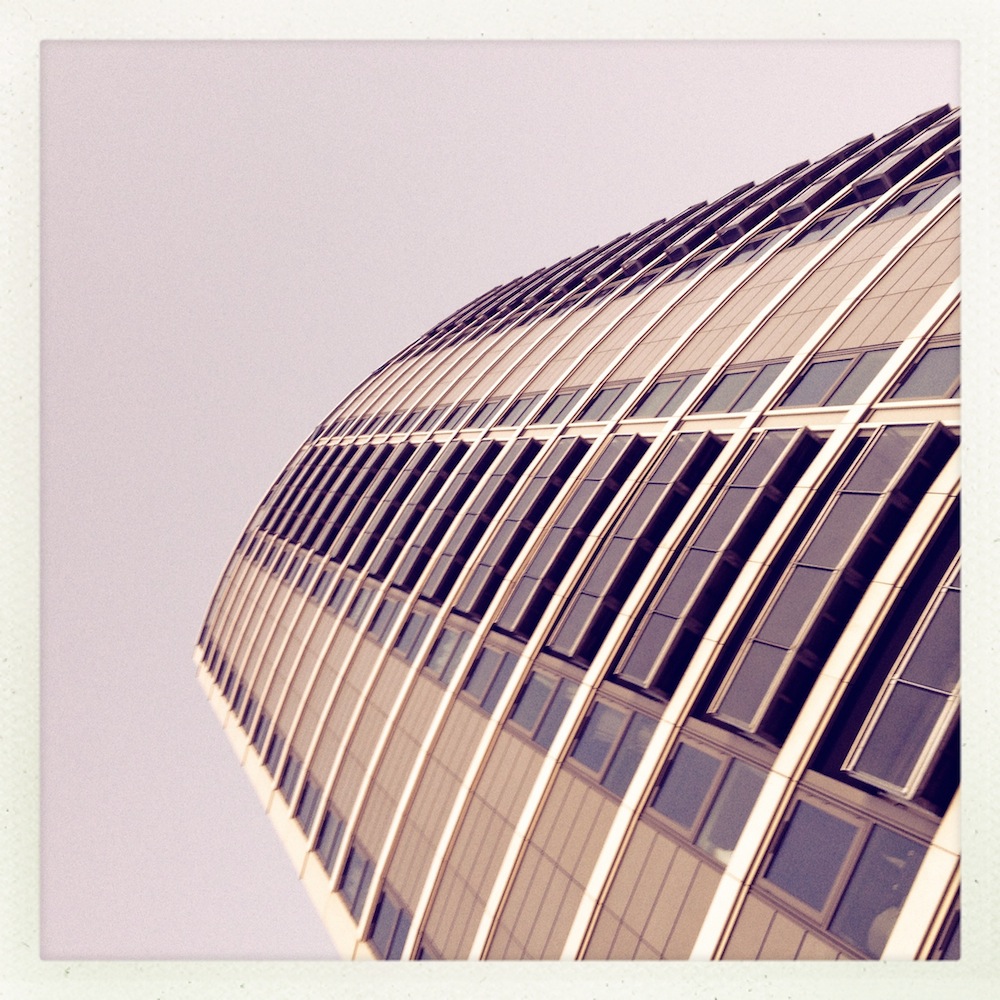
At the bottom of this review I’ve posted some of my favourite shots from the test reels I made while writing it. They aren’t going to win any awards but they might give you some idea.


Disposable also has a social feature in which you invite friends via Facebook to start a shared camera (I know, I know; I hate Facebook too). Each invited participant starts a new camera and shoots images on their own phones. When all the cameras are finished everyone’s images are pooled, resulting in an album that gives a much wider range of moments than any one photographer would have captured. It’s Synthetic’s in-app version of having everyone dump their digital pics in a Flickr or Facebook event pool, basically.
(At least, I think this is how it works – I encountered some serious problems while exploring the social feature which I’ll explain shortly)
I love the idea in theory but it feels best suited to social events and I’m an antisocial bugger so there will be few such opportunities for me to make the most of it. However, I can see this being a big hit at a wedding or a party so long as there’s at least a few attendees that are Facebook friends and have the app (which is free of course, so no excuse there). In fact the more I think about how well this would work at events the more I think that social animals are the real target market.
For this review I asked my brother, all the way back home in Glasgow, to download the app and we shared some shots using the MegaZuck 84 camera. Or at least we tried to when we weren’t experiencing an appalling, almost non-stop…
… CRASH!
This is a real stinker; this version of the app (12, according to iTunes) has some unidentified issues which can cause a regular crash – as often as 10-20 seconds into launching the app. Although the app had been completely stable for several hours while I tinkered with it on my own, shortly after I connected with my brother via Facebook and started a camera with him I experienced my first crash and they kept coming. While we were shooting our cameras we had the same experience, no matter what we tried.
Once we’d both managed to complete our reels and our images were downloading to the other’s phone we continued to experienced crashes, but later on once my app stopped receiving new images from him it became almost completely stable again with very rare crashes.
Incidentally, the one camera we both managed to finish together despite the crashes isn’t displaying 48 images as I’d expected it to. There are 19 of my images, 8 of his. That doesn’t even add up to 24 so I’m not sure what’s going on there.
Later on I accepted two invites from him to start new cameras; I think he sent these earlier and I just didn’t get them amidst my crashiness. I was able to finish both cameras with just one crash towards the start both times. At this time he wasn’t using the app so perhaps it’s an active connection to another user that causes it.
(UPDATE, 24th Dec 2011: this morning my bro sent me a camera invite and started shooting on it himself and didn’t get a single crash. Later, when I accepted the invite and started shooting I didn’t get any crashes either. However, in both cases the other user wasn’t using the app at the same time. I still think it’s related to an active connection – or maybe the bug is related to server-side software as opposed to bugs in the app code, and has been fixed already?)
Either way, there’s lots of complaints on Twitter and the App Store review page so it’s the sort of thing that will probably be fixed very soon and then perhaps I’ll be able to work out how it’s actually supposed to work. Worth bearing in mind for now.
My niggles
… are a bunch of things that niggled at me but wouldn’t put me off completely. I just think that if they did it my way it would be that little bit better, obviously.
First, you have to shoot with the phone in the vertical position; if you go landscape the camera doesn’t auto-rotate. This fits with the ‘phone-as-toy-camera’ metaphor (real film doesn’t detect orientation) but limits how you can use the app; getting the lens very close to a horizontal surface (e.g., for a shallow depth of field effect) is harder and I found that surprisingly often it’s more comfortable getting the shot you want by turning the phone sideways. I know I could rotate specific prints once saved into the iPhone’s Photos app, but that’s just hassle, man.
Between Hipstamatic and Disposable I prefer the vertical alignment of the D-Series controls and also the fact that the viewfinder is close to the iPhone lens. However, I’d prefer it more if unlocking the auto-rotate ability was an option for those of us willing to break the illusion of a real toy camera.
I’ll briefly list my other niggles, in no particular order:
- prints are square but the viewfinder is ever so slightly rectangular – wider on the horizontal. I was disappointed when I first realised my prints weren’t the same; there’s so many square camera apps on my phone that the variety would be nice.
- on some cameras, particularly the Dreamy, moving the effect slider around didn’t appear to change anything noticeably
- the only option to connect with friends is via Facebook. I would dearly like to delete my Facebook account forever but apps like this (and websites that choose to use the Facebook login APIs exclusively) force me to keep it hanging around. I asked @Hipstamatic if there was any chance of adding Twitter for friend connection and they replied that there was a chance, but not quite yet. They’d be mad to leave that on the back-burner.
- in-app, you can view individual images with their notes but you can’t tap again to make the image full-screen on black and zoom in on details; you can in Hipstamatic and it would nice to have it here.
- when shooting you can’t tap to set the focus or exposure point. You also can’t pinch to zoom but that really would break the metaphor so that’s fine. However, the camera’s getting to choose the focus and exposure so why can’t I? S’not fair.
- once you’ve purchased cameras, you can’t change the order they are listed in your camera bag. I like to organise things in a way that makes sense to me; just needs an ‘Edit’ button.
- if you start a camera and then don’t use it and want to remove it from your active cameras, you can’t; make sure you pick the right camera and the right name.
- similarly, you can’t decide to have a film processed with blanks left; you could choose to do this in real life so technically it should be there, right? 😉
(okay, the last two are really picky. I realise the option to end an unfinished camera would rather kill the mood but what if there’s a handful of event snaps at the start of a camera and then you have to shoot 20 unrelated snaps just to get access to them? Nnnngg, dammit)
About those IAPs
As mentioned above, some of the purchasable cameras (effects) in the app are not unlimited. These limited-use cameras follow the real-world metaphor that when they’re done, they’re done, and you gotta buy new ones.
 When I first heard about this idea of charging per shot in a digital camera app, I was pretty damn outraged. In the original version of this post at this point I went on for several paragraphs wrestling with outrage versus the fact that the prices really won’t break the bank and the app is free as it is and even a 36-pack will take so long to get through it may as well be ‘unlimited’, but then again it still doesn’t assuage my disapproval of charging per shot for digital, and so on…
(At current prices I calculated the use per 24-shot-camera at 7p each for the 9-pack, 4p for the 36-pack and 2p for the 99-pack)
As I considered and reconsidered, I slowly realised that… actually… I find it strangely appealing that in this fantasy world of the iPhone-as-disposable-camera I have to pay for opportunities to use a particular model of camera and then shoot all the shots before I get any back. It does actually lend a certain sense of importance to each frame you shoot, because you’re paying (hardly anything whatsoever) for it.
And I hate that I have to admit this because I do think it’s a dangerous precedent to set for IAPs in photo apps simply because unlike film, digital photos don’t incur a cost-per-shot in the same way; however, I’m forced to admit Hipstamatic Disposable actually gets away with it purely by virtue of the effort that’s gone into maintaining the illusion of reality throughout the experience.
So don’t anyone else get any funny ideas.
I should add that although I haven’t verified it, I think that when Synthetic first released the app their rates for the IAPs were not as good value as they are now and may have been pressured into bettering them by user complaints. So long as they spread the love with a mix of unlimited and limited IAPs in future I could live with grabbing a 36-pack of my favourite premium cameras. I doubt I’d run out any time soon.
In conclusion
Realistically this won’t completely take over from the other apps I use daily due to the convenience of their one-shot nature, but the enjoyment I get from using the D-Series cameras is such that I want to find ways to use them; I’ve got a couple of cameras on the go right now and I’m looking forward to the day I get them all back, whenever that may be.
And the IAPs? I still think it’s a bold step to charge users per shot to take digital pictures but look; the rates aren’t bad for the actual usage you’ll get; it makes some crazy sort of sense in terms of the whole package; and, perversely, it really does immerse you in the experience of using the D-Series cameras, which is what I’ve been raving about throughout this post.
Sadly, at this time it certainly seems to me that the social features, which appear to work in principle, are the cause of such a persistent crash bug that I can’t recommend using them – my brother was so unimpressed with a crash every ten seconds that he’s not bothered to launch it again since he completed one shared camera with me. If it had been my only experience of the app, I’d have deleted it by now as well.
So overall? It’s such a fun app with such new ideas to change your iPhone snapping that you’d be daft not to give it a go and see how it might fit into your day. Maybe just wait until they fix the crippling crash bug first (or stay well away from the social features until they do).
Thanks for reading. If you’d like to comment on anything (except about how fake toy camera apps are the reason proper photography is dying and all that stuff) I’m @myglasseye on Twitter.




 The wealth of photography apps on the Store offer a huge variety of options to the experience of taking a photo. There’s a lot of repetition though, and plenty of trash, so I’ve only ever gone for apps that were either considered the best or which appealed in some other way, such as the interface. Whatever you can think of, by this point there is almost certainly “an app for that” (grr). I’ve just had a clear-out and the core bunch that will never leave are CameraBag, QuadCamera, ToyCamera and Tiltshift Generator. I’ll look at those four today, and they’re really fantastic if you’ve not heard of them.


 Also, I’ve disabled the ‘crop’ feature in the settings, but when it’s active it crops the Helga, Lomo and Instant filters square, crops 1974 almost square, and Cinema into a narrow 16:9 format which really doesn’t work well on vertical images. There’s also a border option and you can vary the output size of the saved images if your iPhone is struggling – like most camera apps it gobbles up memory and so like most camera apps has garnered its fair share of negative reviews on the App Store for regularly crashing if it’s been a while since you last rebooted the phone. If that happens restarting is generally necessary but the I’d have thought the iPhone 3GS would run it well – can anyone confirm that?


 In terms of customisation there’s a slider to alter the delay between each shot in your sequence, whether to shoot 4 or 8 shots and whether to lay them out in a row or in a 2×2 or 2×4 arrangement. There’s a selection of filters: Vivid, Bright, Dull, Hi Con, Grayscale and No Effect. If you choose the 1×4 or 1×8 options the app will lay them out vertically for landscape oriented shots, or horizontally for portrait orientation.


 Up until recently the app used to apply the filters randomly by default, which was frustrating if the filter it chose didn’t suit the image (they really can be too much sometimes). Now, however, you can choose a specific filter to be used but only before you shoot; you can’t pick an effect to apply to a photo you already have, like you can with CameraBag for example. If you’re into the whole random ‘shoot from the hip’ ethos that the Lomographic people promote then you can activate the random mode and select which effects you’d like it to choose from.