Categories
Editorial iOS & Mac reviews Photographic Reviews

Hipstamatic: a comparison of the latest films and lenses

There’s been quite a few Hipstamatic lens/film packs released since I last posted my ‘every lens and film combination’ image last year. Actually, it turns out that a few of them were limited edition and they aren’t available any more. I stopped using Hipstamatic for quite a while and I missed a couple of these, including Melodie and Salvador 84. Personally I think it’s a shame they decided to make limited editions – I’d happily fork over the 59p each for sets that included these lenses so that I could have a complete set.

So, I currently have 9 lenses and 12 films installed in my copy of the app and so I made up a revised table of combinations. I did do a set of shots using one particular combo and then each of the flashes but to be honest I think the flash effects aren’t that great so I made an editorial decision not to bother with them for this, which took long enough as it is! 😉

(click to view large, or see the original over at Flickr)

Categories
iOS & Mac reviews Reviews

if you like Hipstamatic, you’ll love these

There’s dozens of retro processing apps in the App Store, but Hipstamatic has captured the ol’ zeitgeist and it’s great that so many people are interested in it because it’s a cool wee photo app. I love it – to the extent that I created a huge matrix of all the lens/film combinations possible at the time – there’s more available now as in-app purchases.

I thought I’d share a bunch more apps that I think you’re definitely going to be interested in if you’re a Hipsta-fan, and also because I think they deserve more attention because someone’s been hogging it all! Some have wonderfully detailed and engaging user interface designs. Others, not so much. But they all have three things in common: they’re cheap, they’re fun and they make great photos.

PictureShow


Website.

App Store link.

I wrote about it here. I think this is easily one of the best photo apps currently available and a superb companion app to Hipstamatic. It has a beautiful UI and a highly flexible array of effects and sharing options.

You add one effect each from frames, light leaks, noise and vignettes, can further manipulate RGB, contrast and brightness and share with all the major social networks. Some of the effects are quite heavy so you can overdo it easily, but used with restraint PictureShow images can be extremely pleasing.

Swankolab


Website.

App Store.

I’ve not written about this one in length before but it’s a beauty. Created by the developers of Hipstamatic itself, it uses the metaphor of a dark room with a range of different processing chemicals stored in bottles on a shelf, and allows you to create custom effects by adding measures of chemicals to a developing tray. By adding chemicals in different combinations you create unique effects and you can save your favourite effect combinations, or recipes, to use again.

I love the effort that’s gone into the interface, and it can be a very creative processing experience. The only downsides are the unskippable animations and lengthy processing times, which make regular use a bit frustrating if you’re used to the quick presets of other apps and I found my use of it waning. Even so, you should definitely add it to your collection at that price, especially if you don’t mind taking a more leisurely approach to processing an iPhone photo.

Instagram


Website.

App Store.

Instagram probably doesn’t need much introduction to some of you, but if you’re remotely into Hipsta you’ll love this (it’s my app of choice at the moment) and at the awesome price of FREE you should get it now.

With Instagram the focus is on speed and simplicity. You take a photo in the app or load one in and it’s cropped square before you get to choose from over a dozen retro effects, each with it’s own border. You name it, add a location if you like, then upload to a variety of the usual suspects – you can send to multiple sites all at the same time.

It also automatically uploads to Instagram’s own site, as there’s a whole other social networking focus to the app. Outside of the processing element you can follow other users and rate their images which can eventually become Popular, exhibited on a dedicated feed. It’s rather like Twitter for photos, but it’s wholly ignorable if that’s not your thing. If it’s very much your thing, look out for photos from ‘myglasseye’.

Camera+


Website.

App Store.

Camera+ is sort of the odd one out here in that it isn’t that pretty, and it’s the only one that isn’t primarily an effects app, but is pitched as a replacement for the official Camera app. It’s packed with functions designed to make taking photos easier, including grids, stabilisation, a timer, burst mode and separate focus and exposure touch controls. The only thing that really stops me using it over the official app is that all photos are saved to it’s own reel, and there’s no way of preferring them saved to the iPhone reel. You have to go in there, select the ones you want to keep and then save them out.

However, it also comes with a bunch of effects, many of which are retro-inspired. I’d say the signal to noise ratio in the selection isn’t too favourable but as an overall camera package it’s a good one to have alongside your full-on retro apps.

I believe you can get all these for not much over a fiver, so I think if you’re remotely entertained by Hipstamatic you’d be mad not to!

Categories
Editorial Photographic Pictorial

on the set: Collectables

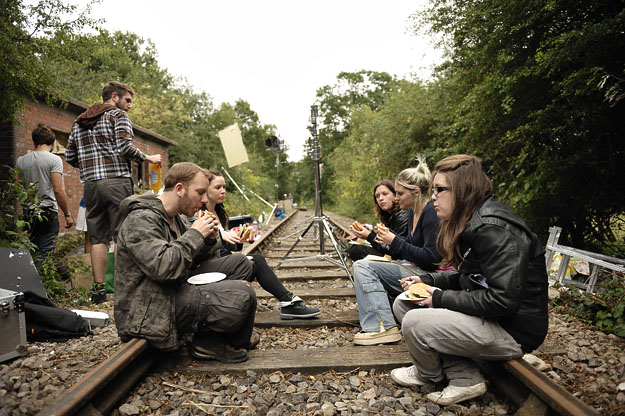
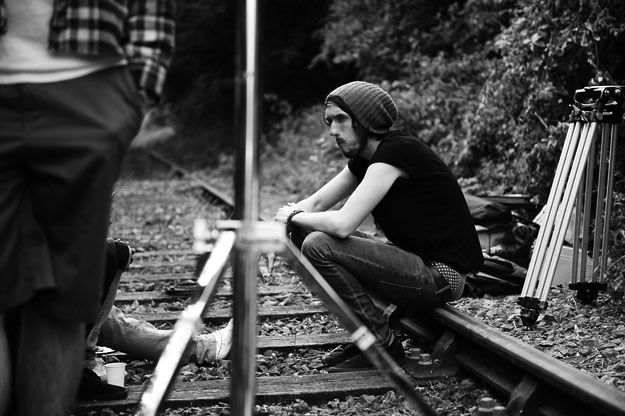
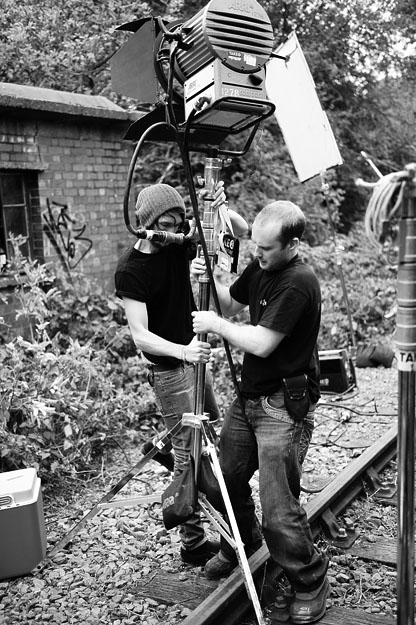
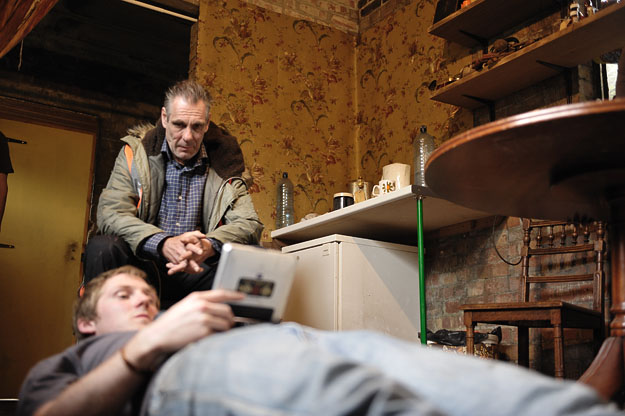
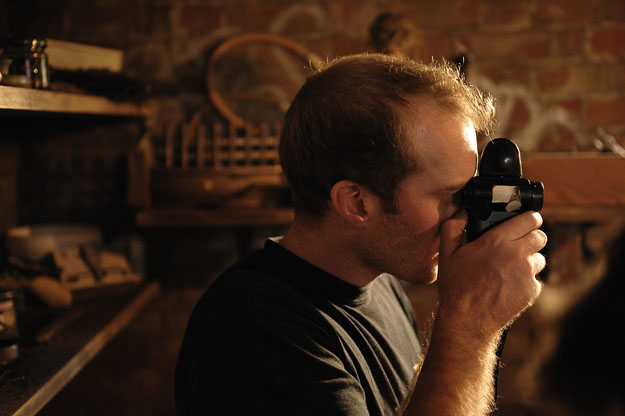
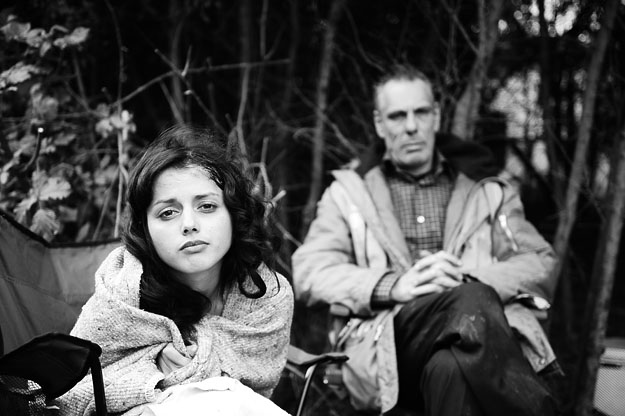
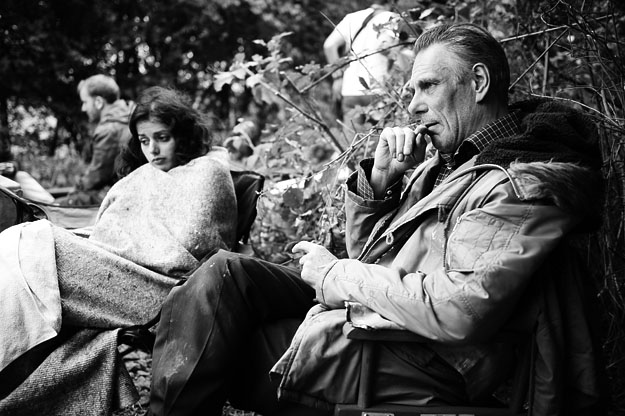
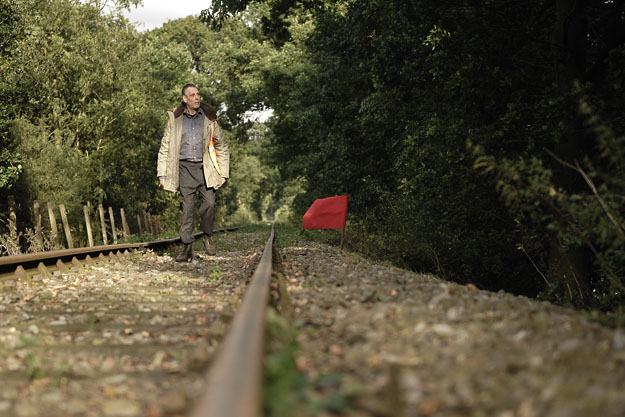
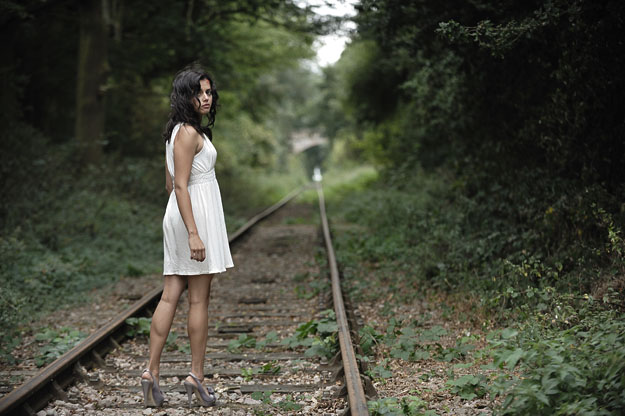
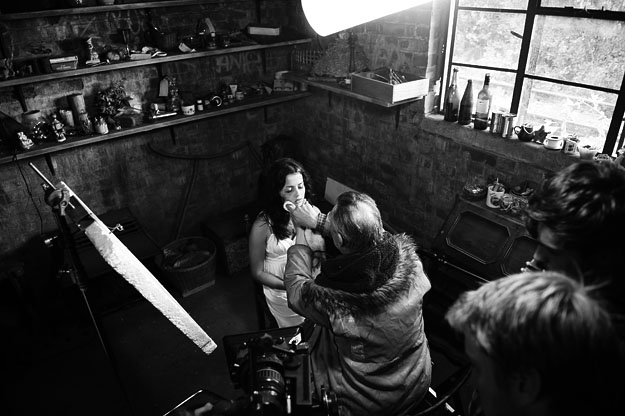
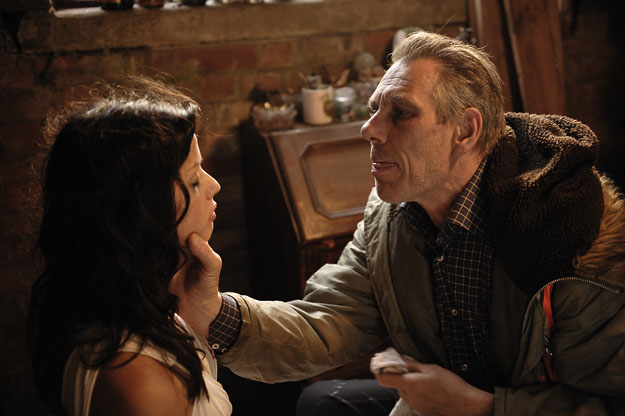
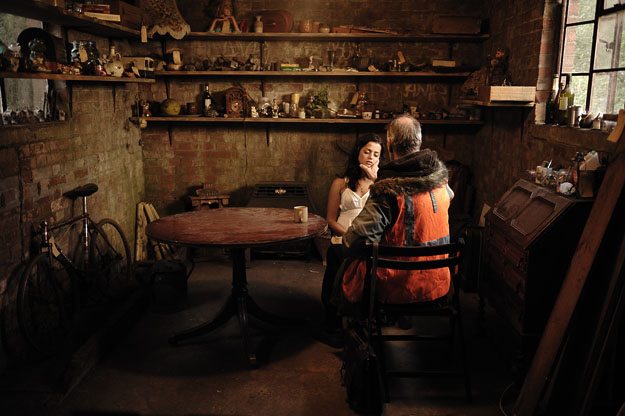
In Summer 2009 I was asked to go along and shoot some stills on the set of a short film called Collectables, written and directed by Jacob Proctor. I’d worked with Jacob before, on his previous short, Mother Time so I knew several of the crew already, particularly Trevor Speed, the director of photography. It’s always nice to see a few friendly faces when you arrive on a new set. The film is complete now and Jacob is entering it festivals and competitions so I thought it would be a good time to share some of my favourite shots and drum up a little publicity for it.

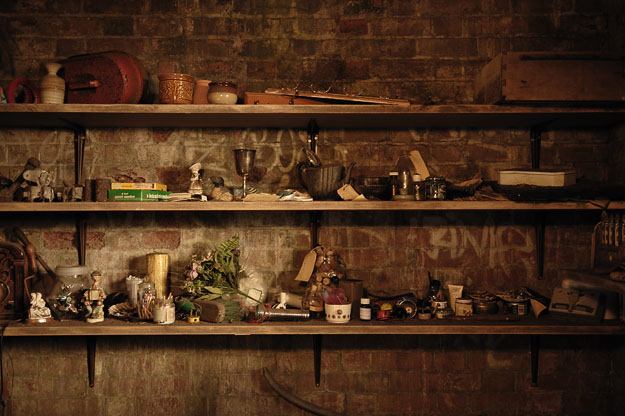
The story concerns a man who works on a railway line keeping it free of litter and obstructions. Every day he walks the route collecting what others discard and keeping the choicest pieces for himself, which he tags and displays in his little brick shack next to the tracks. One day he discovers a rolled up carpet, inside which he makes an unusual discovery…

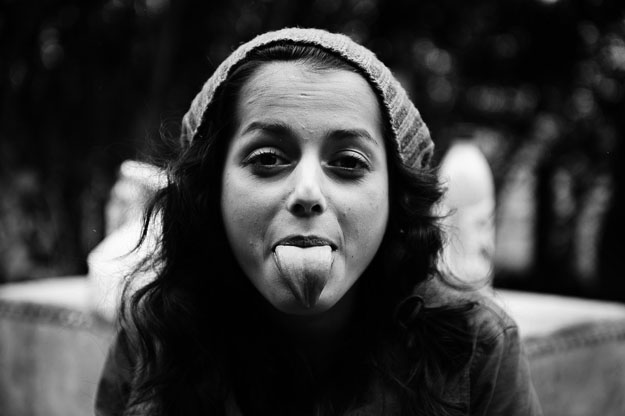
Starring Christopher Adamson (Pirates of the Carribean) and Amrita Acharia (soon to be seen in HBO’s Game of Thrones), my one day on set was a pleasure to photograph. The art departments had done a fantastic job dressing the shack with various bits of junk he’d collected over the years, each one individually tagged by hand. And we were in a real brick building, by a real line that was out of use at the time. And as you can see, very photogenic actors.

If and when the film makes it online, I’ll link to it here. For now, enjoy these shots.

Categories
Apple Editorial Photographic

Pixelmator: they’re not ripping you off

With the launch of the Mac App Store recently, Pixelmator, amongst a few other existing Mac apps, went Mac App Store Only. This means that eventually (once the application reaches version 2.0) users that already bought it from their website will stop getting free updates through the app, and will need to ‘transition’ to the App Store version to upgrade to 2.0 and continue getting point-release updates.

Buying it on the App Store currently costs $29 (£17.99 in the UK), due to rise in around two months to $59 according to their Twitter feed, @pixelmator. If you already own the app, having purchased from their site or on disc over the last couple of years, you can’t get an App Store version for free, you have to pay.

Confusing the issue, some apps that people already own and which now have App Store versions show up as ‘Installed’ in the Store, even though the user did not buy the app from the Store. This leads some users to believe that their apps are going to be updated via the Store even though they didn’t buy them there, and, therefore, that it must be possible for people like Pixelmator to provide them with free updates too and that they are choosing not to for financial reasons.

This is due to a misunderstanding between the Store and the app you already own. Here comes the science bit: there’s a bit of code in the application that identifies it to the hard drive and which the Mac App Store searches for when it’s working out if you already have an app installed. Think of it as sort of like a nameplate outside your house. The App Store version of an app should have a different identifier to the same app bought elsewhere – even if they are otherwise identical. Where such apps are showing up as Installed, the developer hasn’t used the correct identifier in their App Store app.

Bottom line – unless you specifically buy an app in the App Store, even ones you already own, it will not update via the App Store. Apple will probably make this clearer soon, or require that developers fix their identifiers.

Back to Pixelmator. Some existing users are claiming they’re being made to pay twice to continue getting the latest version while new users that buy from the App Store are paying once and what’s more, getting it at half price. It does seem that way at first glance, but it’s not the case at all, and while the guys at Pixelmator have got a page up explaining why, a lot of people still don’t get it.

Here’s how Pixelmator isn’t ripping existing users off:

If you already have Pixelmator, you’ll continue to get free updates to your non-App Store version until 2.0. The release of 2.0 would have cost you an upgrade fee (probably around $39 but that’s a guess). Therefore, if the App Store did not exist, you would have had to ‘pay again’ to continue using the latest version of the app anyway.

If you ‘pay again’ now from the App Store, up until around March-ish, 2011, you’ll get the current version of Pixelmator for $29. Yes, you are paying a second time to receive exactly the same version of the app that you currently have and yes, this does seem like you’re being had, but because of the nature of the App Store update process, you’ll get 2.0 for free – remember, you’d have had to buy that upgrade anyway. You’re essentially buying your update to 2.0 several months in advance (no word on when it’s due out yet).

So, if you are an existing user of Pixelmator and don’t expect to want 2.0, don’t buy it again from the App Store and continue to get free updates to 1.x. If, however, you decide you do want to upgrade and you wait until it’s actually released, the only place to get it will be the App Store and it’ll be $59 again.

There’s no hiding the fact that brand new users can currently buy once and get it for $29, a whole $59 less than existing users will have paid, but that’s life, the market changes – look at it like this: they’ve not had the pleasure of using Pixelmator since it was launched, and if they’re not quick they’ll have to pay $59 anyway.

Compare Pixelmator’s approach with what’s happening with Coversutra 2 where the developer has also gone Mac App Store Only, but for her own reasons (which I sympathise with) has had to go back on her similar pledge to existing customers to provide free updates until 3.0 – she’s ceasing support for the non-App Store version, which will not receive the 2.5 update currently on sale on the Store. This means all current users that wish to continue to 3.0 will have to pay again, albeit only $5, but the principle of the promise made is under heavy attack. It’s a bit of a mess all round with the absolute worst examples on internet rage spewing forth all over her blog. Unpleasant for everyone.

Well, I hope Google picks this up and that even a few people giving Pixelmator a bad name on the social network will realise that, if anything, they’re probably saving a bit of cash on their eventual upgrade to 2.0 if they buy now.

UPDATE, January 11th, 2011:

I just want to add that I’ve seen a lot of calls for Pixelmator to give us some kind of development roadmap to version 2.0 so that existing users can gauge for themselves if the update is going to be worth the cash and hence worth buying now while it’s cheaper.

I’d echo those calls. If the Mac App Store didn’t exist I’d say a roadmap would be nice but by no means essential, but given the way this whole thing has had to go down, and given the understanding that Pixelmator seems to me to have about how their users feel, I think they should get something out there pronto that gives at least an idea of some of the major new features planned to be included.

I’d like to think that if they did that, the vast majority of this fuss would die away pretty quickly.

Categories
iOS & Mac reviews Reviews

pictureshow – stealing hipstamatic’s crown

The iPhone photo app market is saturated with apps to replicate the retro look. It’s probably a fad that should be on it’s last legs, but the apps keep coming and truth be told I do still like the look when it suits the image so purists be damned!

For the last few months I’ve almost exclusively been turning to the fantastic Hipstamatic to tart up my iPhone photos and wrote a wee appraisal of it a few months ago. Since then the creators have released a second photo app called Swankolab which I played with for a few days and was going to write about. I ended up not bothering in the end as I didn’t really enjoy using it.

Briefly, Swankolab has a very attractive interface designed around a darkroom, with you combining squirts of developing fluid into a tray that your chosen photo is ‘dipped’ in to create unique effects, and the whole process unfolds with amusing animation of the chemicals pouring into the tray and the print sloshing around as it develops.

For me, immediacy is key with iPhone photo tweaking. Where Hipstamatic is pretty snappy, I found Swankolab fussy, and the processing itself very sluggish on my 3G (when I upgraded to the iPhone 4 the first app I tested was Swankolab and it was a little faster but not much). The animations and lengthy processing began to grate, I could never really remember what effect each ‘chemical’ had and the sheer depth of combinations ended up being daunting rather than inspirational.

It’s a beautiful app and potentially a lot of fun so long as you have a bit of patience. Sadly I didn’t – however, all of this sets up what I like about graf’s PictureShow (App Store link)

PictureShow has had a recent update to version 2. I never tried the original, but I found some references to it online and this update appears to have been quite the bumper pack of new features.

The presentation feels very much inspired by Hipstamatic, the icon and interface sharing a love for old school camera design. Processed prints slide onto the screen Polaroid-style over a classy black leathery background bearing the logo. It applies effects to both photo library images as well as those taken in-app (although there is no stylised viewfinder a la Hipstamatic) and almost all the effects are of the ‘toy camera’ ilk, featuring colour filters and Holga- and Lomo-alikes as well as some that play with cropping and faked multiple exposures (although these aren’t particularly good, more on this later).

The options available include 24 basic image filters, 20 frame styles, the ability to add text in a number of fonts and sizes, a range of light leak and grunge effects which add considerable character to your images, and individual red, green, blue, brightness and contrast controls that allow you to tweak the filter presets. There’s also an option to add either the date or your name to certain frames in addition to the text option (the date used is the date you processed the image in the app, not the date you originally snapped the source photo).

Here’s a look at those basic filters in a handy table:
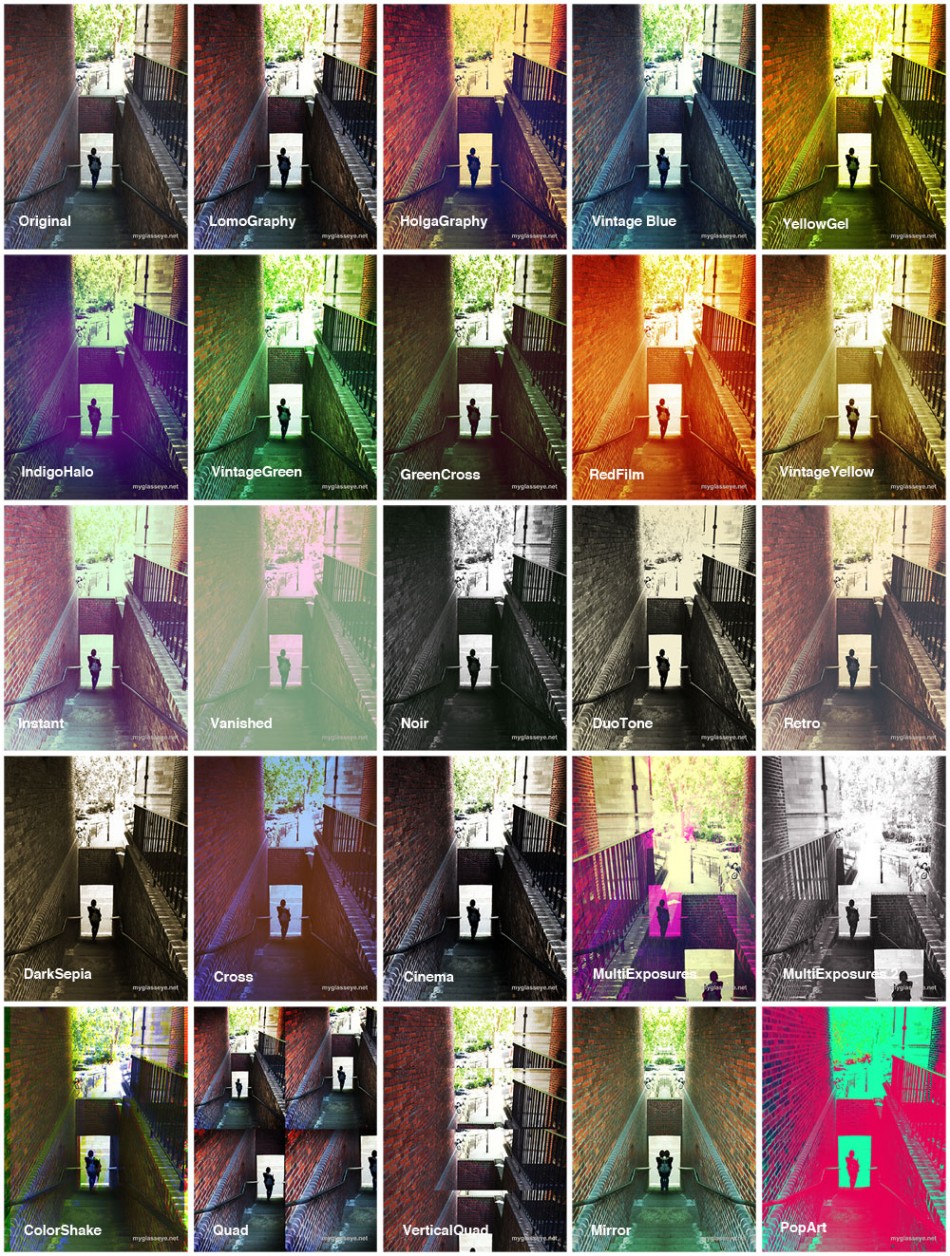
Some really nice looks in there, but as you can see the last few filters are a bit weird, especially the quad styles as it’s a bit of a bodge. Rather than taking 4 images in succession to use, it takes your single shot and uses it four times, cropped and zoomed automatically. I think these filters are a nod to the likes of the SuperSampler plastic Lomo cameras, but if you’re after this sort of thing on your iPhone get QuadCamera, which is superb. Similarly the Multiple Exposure filters take your single shot and chop it up, flip it around and superimpose it on top of itself. It can be effective, but it’s a shame you can’t superimpose a selection of your own images.

But of course that’s not all. You can apply one of the 20 available frames to your filtered photo (or leave it naked):
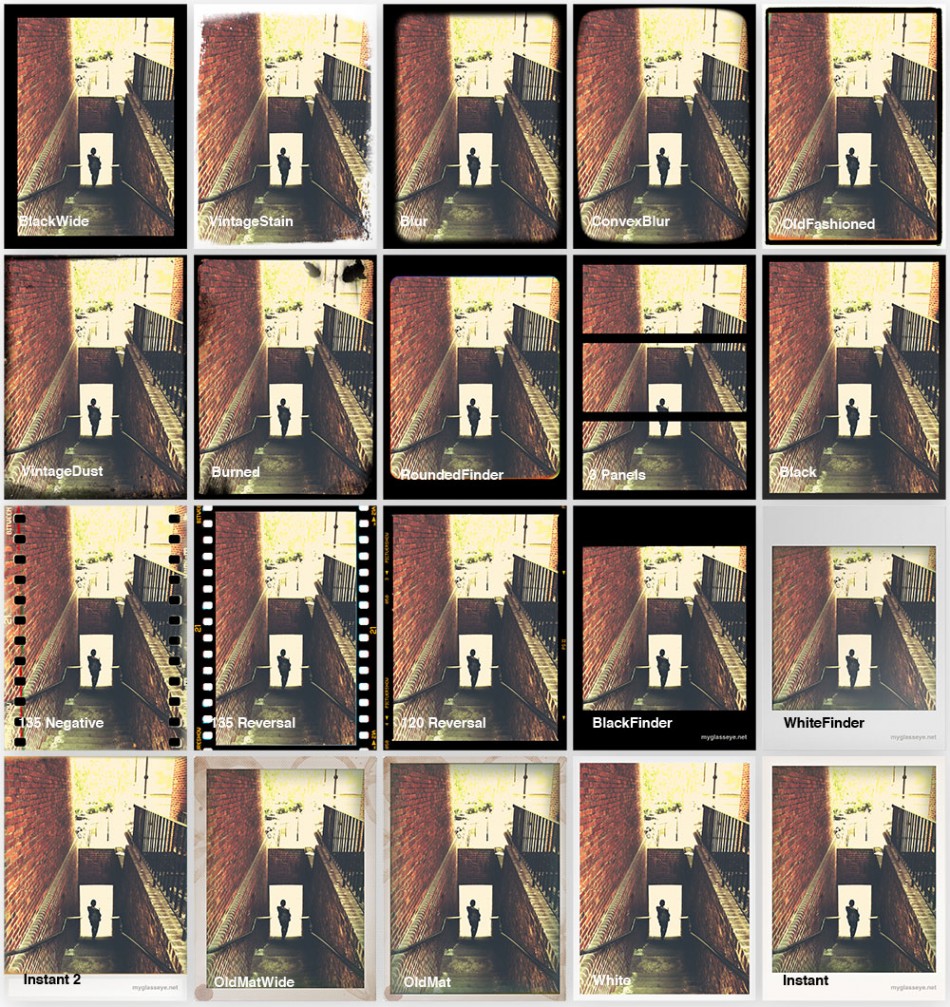
Added to that are a range of ‘light leak’ and noise/grunge effects – life’s a little too short to make a table of all of those as well, but you’re sure to find something you like in there and as with the other features you don’t have to use them at all if you don’t want.

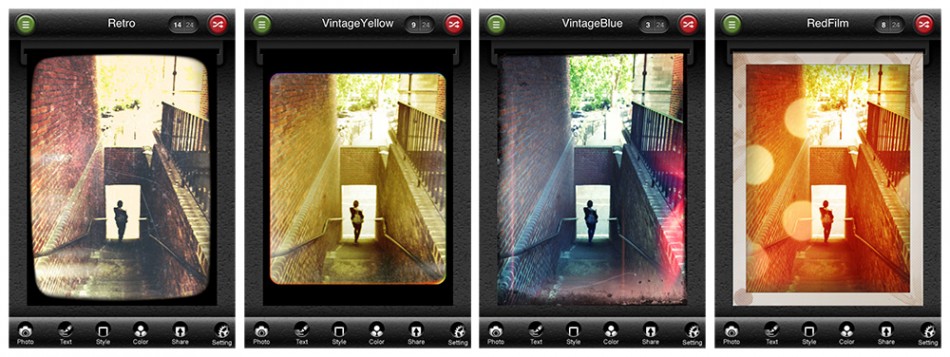
It’s easy to get exactly what you want without having to experiment too much with combinations. Preview images load quickly so you can flip through them manually, or pull down a handy list (that carries a thumbnail example of each) to jump straight to the one you want. There’s also a Shuffle button that quickly delivers a random combination for you to save or discard before hitting it again for another offering.

Here’s a selection of images produced by the random generator that I liked, including some light leak and noise effects:
Output and sharing options are generous, with options to send to Twitter, Facebook, Flickr and Blogger, your email or camera roll, and offering a range of image dimensions to suit all models of iPhone. An image processed at full res (2048 pixels tall, only available on the 3GS or newer) took about 8 or 9 seconds to save to my photo library. The next res down (1600 pixels tall and perfectly useable), took about 5 or 6 seconds, and lower than that (400, 600 and 800 pixels tall) you start to get into the realm of email and web-friendly resolutions that lack the detail you’ll want for your keepers.

I still think Hipstamatic has the edge in some aspects. For example, whereas two consecutive photos taken with Hipstamatic’s films and lenses will rarely have exactly the same vignette effects, in PictureShow most of the grunge and light effects appear the same from photo to photo, occasionally being rotated. This is most noticeable using coloured light leak effects when a B&W filter is used, as the leaking colour isn’t muted by the filter.

Another niggle is the inability to switch off the weaker filters when generating random effects. I’m thinking particularly of the ‘quadrant’ and mirror filters and the film sprocket frames, which I will never use. This is something that other apps such as CameraBag and ToyCamera allow and it would be a very welcome addition. The buttons at the bottom of the screen for switching between the editable parameters are a little fiddly to select, and placing any text precisely can be a pain as it appears directly under your fingertip, obscuring the exact placement. Finally, it could really do with updated visuals for the iPhone 4 screen as at the moment everything is a little pixellated, including the image you’re editing – although the images saved to the photo library look great. Pictureshow is now Retina-friendly!

Overall, the proof is in how much you use the app and how pleasing the results are and on that score PictureShow is a winner as I’ve been using it a lot. Packed with a good range of filters and effects, output and sharing options, as well as an appealing and fun attention to detail in the design, I heartily recommend it.